 EN
EN

Essential Components of a Home Screen Printing Workshop
Setting up your own screen printing workspace represents an exciting venture into the world of custom garment creation. A well-planned screen printing setup allows you to transform blank garments into wearable art, whether you're pursuing it as a hobby or launching a small business. Understanding the fundamental elements and organizing your workspace effectively will set the foundation for successful printing projects.
Getting Started with Screen Printing Equipment
Basic Tools and Materials
The journey into screen printing setup begins with gathering the essential tools. At minimum, you'll need screens with appropriate mesh counts, squeegees of varying durometer levels, and a sturdy printing press. The press can be as simple as a single-station tabletop model or a more advanced multi-station setup. Your toolkit should also include screen printing inks, emulsion for creating stencils, and cleaning supplies for maintaining your equipment.
Quality matters when selecting your initial equipment. While budget constraints might tempt you to opt for the cheapest options, investing in reliable tools will significantly impact your print quality and workflow efficiency. Consider starting with a basic but well-built press, professional-grade squeegees, and high-quality screens that will withstand repeated use.
Workspace Organization and Layout
Creating an efficient workspace layout is crucial for a smooth screen printing operation. Designate specific areas for different stages of the printing process: pre-press preparation, printing station, drying rack, and cleaning zone. Ensure adequate ventilation, as some chemicals and inks may produce fumes. Your workspace should have sufficient lighting, particularly in areas where you'll be burning screens and inspecting prints.
Storage solutions play a vital role in maintaining an organized setup. Install shelving units for inks and supplies, and create a system for storing screens both before and after use. A clean, well-organized workspace not only improves efficiency but also helps maintain print quality and extends the life of your equipment.
Screen Preparation and Exposure Techniques
Emulsion Application Methods
Proper screen preparation forms the backbone of quality printing. The emulsion coating process requires precision and consistency. Using a scoop coater, apply even layers of emulsion to your screen in a darkroom or low-light environment. The number of coats depends on your specific printing needs, but typically, two coats on each side provide adequate thickness for most applications.
Allow screens to dry completely in a horizontal position with the print side down. Using a fan can accelerate drying time, but ensure the airflow is indirect to prevent dust from settling on the wet emulsion. The drying environment should be dark and dust-free to achieve optimal results.
Creating Your Exposure Setup
While professional exposure units offer convenience, you can achieve excellent results with a DIY exposure setup. A simple arrangement might include a UV light source mounted at a specific height above a flat surface. The key is maintaining consistent exposure distances and times. Test strips help determine the optimal exposure time for your particular setup and emulsion type.
Consider building an exposure box using plywood and UV lights, ensuring light distribution is even across the entire screen surface. This investment in proper exposure equipment will pay dividends in image quality and reliability of your prints.
Printing Station Configuration
Press Setup and Registration
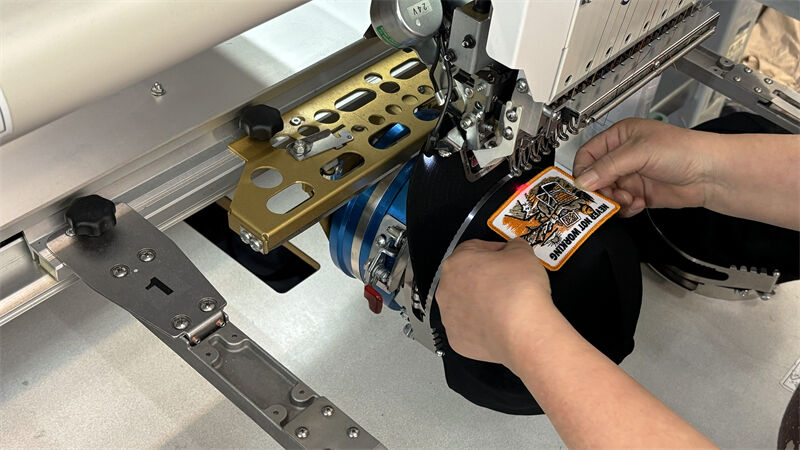
Whether using a single-station press or a multi-color setup, proper alignment and registration are crucial. Begin by securing your press to a stable work surface. Level both the press and platens to ensure even pressure during printing. Registration marks on your screens help align multiple colors accurately, while micro-registration adjustments fine-tune the positioning.
Consider the height of your press in relation to your own height - comfortable printing requires proper ergonomics to prevent fatigue during long print runs. Position your ink and tools within easy reach to maintain an efficient workflow.
Ink Management Systems
Develop an organized system for handling and storing inks. Color-coded containers help prevent mix-ups, while proper storage extends ink life. Set up a dedicated ink mixing station where you can create custom colors and maintain consistency across print runs. Keep records of color formulas for future reference.
Invest in quality spatulas, mixing containers, and measuring tools for accurate color matching. A clean ink management system reduces waste and ensures consistent results in your screen printing setup.
Drying and Curing Solutions
Natural Air Drying Methods
While flash dryers and conveyor dryers offer rapid curing, many DIY setups begin with air drying methods. Create a drying rack system using wooden dowels or wire shelving that allows air circulation around freshly printed items. The drying area should be dust-free and away from direct sunlight to prevent premature ink curing.
Understanding drying times for different ink types helps plan production schedules effectively. Water-based inks typically require longer drying times than plastisol, but both benefit from good air circulation and consistent room temperature.
Heat Curing Equipment Options
Heat curing ensures ink durability and wash-fastness. A heat gun or flash dryer serves as an entry-level curing solution, though careful temperature monitoring is essential. Invest in a temperature gun to verify proper curing temperatures - most plastisol inks require reaching 320°F (160°C) throughout the print.
When ready to upgrade, consider a small conveyor dryer which provides consistent curing temperatures and increased production capacity. Proper ventilation becomes even more critical when using heat curing equipment in your screen printing setup.
Maintenance and Troubleshooting
Regular Equipment Care
Establishing a routine maintenance schedule extends equipment life and maintains print quality. Clean screens thoroughly after each use, inspect squeegees for wear, and keep press components well-lubricated. Regular equipment maintenance prevents costly repairs and production delays.
Document maintenance procedures and create a cleaning station with appropriate solvents, scrapers, and cleaning cards. Proper care of your screen printing setup ensures consistent results and professional-quality outputs.
Common Problem Resolution
Even well-maintained equipment occasionally presents challenges. Learn to recognize common issues like poor ink coverage, registration problems, or emulsion breakdown. Understanding the causes helps develop effective solutions quickly. Keep spare parts and supplies on hand to address common problems without disrupting production.
Build relationships with suppliers and join screen printing communities for troubleshooting support. Experience helps identify problems before they affect print quality, making your screen printing setup more reliable and efficient.
Frequently Asked Questions
What is the minimum space needed for a home screen printing setup?
A basic screen printing setup requires approximately 100 square feet of workspace, though more space allows for better organization and workflow. This should accommodate a printing station, drying area, and storage for supplies while maintaining adequate working room.
How much should I budget for initial screen printing equipment?
For a basic DIY screen printing setup, budget between $500-$1,500. This covers essential equipment including a single-station press, screens, squeegees, emulsion, basic inks, and cleaning supplies. Quality tools may cost more initially but offer better durability and results.
What are the most important safety considerations for a home setup?
Proper ventilation is crucial when working with inks and chemicals. Ensure adequate air flow, use appropriate personal protective equipment like gloves and safety glasses, and maintain a clean workspace. Store chemicals safely and follow proper disposal procedures for waste materials.