 EN
EN
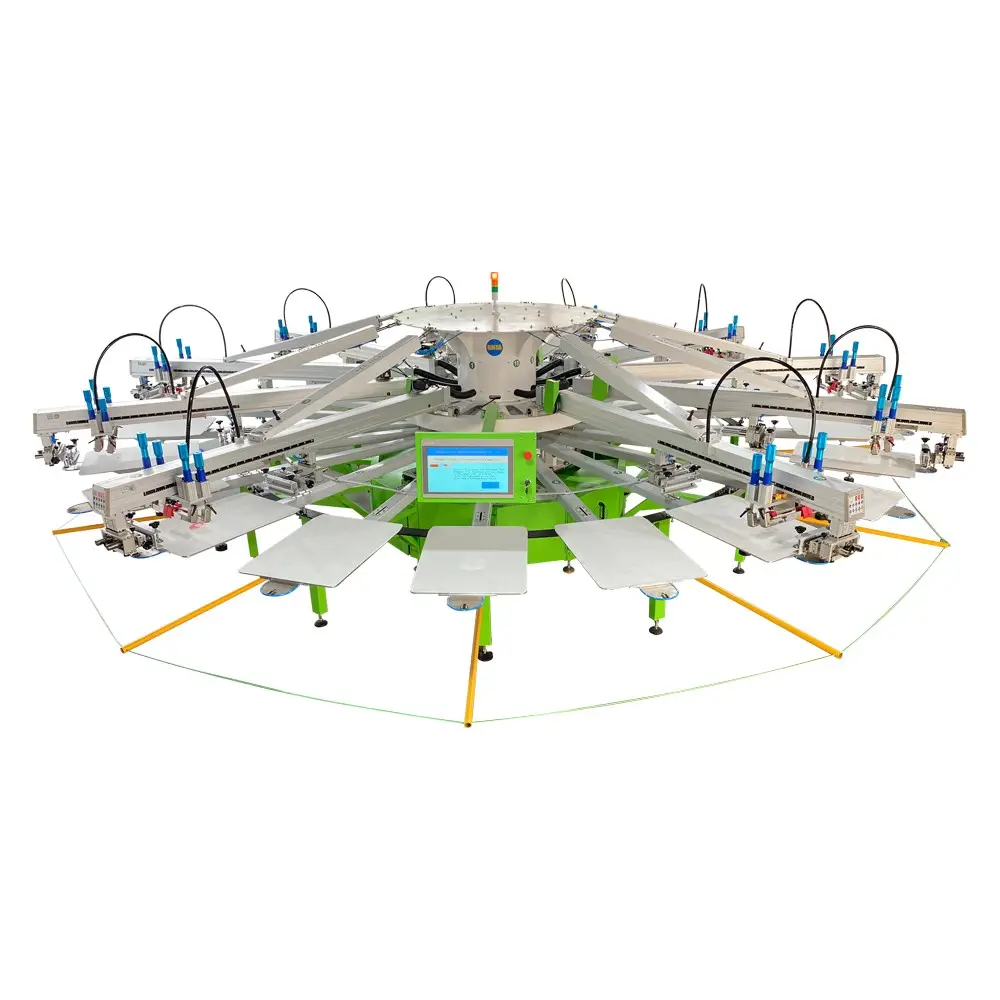
Manual screen printing remains one of the most versatile and cost-effective methods for producing high-quality prints in small batches. Whether you're a creative entrepreneur launching custom apparel, an artist exploring new mediums, or a business owner seeking affordable promotional materials, understanding how to effectively use a screen printer can transform your production capabilities. This comprehensive guide will walk you through the essential techniques, equipment considerations, and best practices that separate amateur attempts from professional results when working with manual screen printing systems.
Understanding Manual Screen Printing Fundamentals
Essential Components of Screen Printing Systems
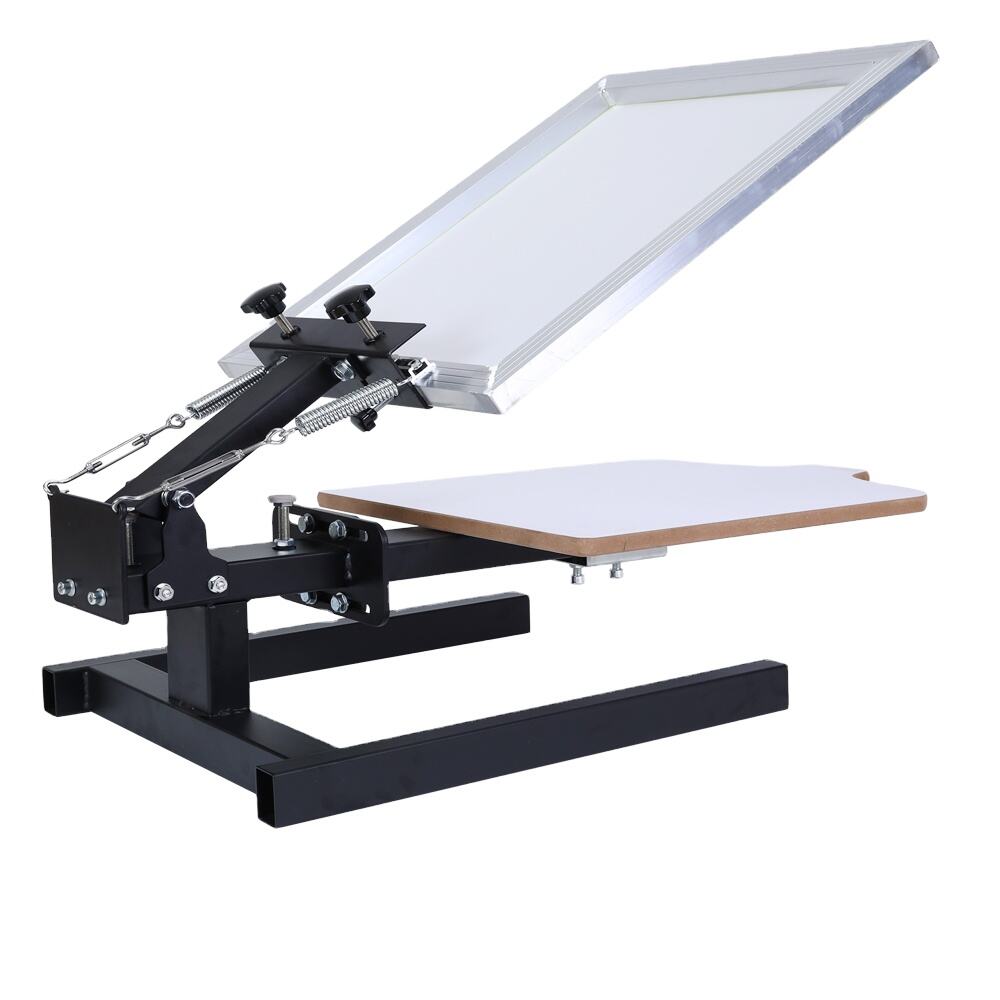
A successful screen printing operation begins with understanding the core components that make the process work effectively. The screen printer serves as the foundation of your setup, providing the stability and precision needed for consistent results. Modern manual systems typically feature adjustable frames, registration pins, and squeegee holders that ensure proper alignment and pressure distribution across your printing surface.
The screen mesh plays a crucial role in determining print quality and ink flow characteristics. Higher mesh counts create finer detail reproduction but require thinner inks, while lower mesh counts allow for heavier ink deposits and work well with thicker materials. Understanding this relationship helps you select the appropriate screen specifications for each project, whether you're printing detailed graphics or solid color blocks.
Ink Selection and Preparation Strategies
Choosing the right ink formulation significantly impacts your final print quality and durability. Water-based inks offer excellent color vibrancy and environmental friendliness, making them ideal for natural fiber textiles and designs requiring soft hand feel. Plastisol inks provide superior opacity and work well on darker substrates, though they require heat curing to achieve proper adhesion and wash resistance.
Proper ink consistency ensures smooth squeegee movement and even coverage across your design area. Adding appropriate modifiers or thinners helps achieve the ideal viscosity for your specific screen printer setup and substrate combination. Testing ink flow and coverage on sample materials before beginning production runs saves time and materials while ensuring consistent results throughout your printing session.
Setting Up Your Manual Screen Printer
Registration and Alignment Techniques
Accurate registration forms the backbone of professional screen printing results, particularly when working with multi-color designs or precise placement requirements. Begin by establishing consistent placement marks on your screen printer base, using registration pins or tape guides to ensure each substrate positions identically. This systematic approach eliminates guesswork and reduces waste from misaligned prints.
Screen alignment requires careful attention to both horizontal and vertical positioning relative to your substrate. Use registration marks printed on transparent film to align your screen with precision, adjusting the frame position until all marks align perfectly with your placement guides. Many experienced printers create master templates for frequently printed designs, streamlining setup time for repeat orders while maintaining consistent quality standards.
Pressure and Angle Optimization
Squeegee pressure and angle dramatically affect ink transfer and print consistency when using any screen printer. Excessive pressure can cause ink bleeding and screen damage, while insufficient pressure results in incomplete coverage and poor color saturation. Start with moderate pressure and adjust gradually while monitoring print quality, noting how different substrates require varying pressure levels for optimal results.
The squeegee angle typically ranges between 45 to 75 degrees, with steeper angles providing more aggressive ink shearing and flatter angles offering gentler coverage. Maintain consistent angle and speed throughout each print stroke, developing a rhythm that ensures uniform ink distribution across your entire design area. Practice on test materials helps develop muscle memory and consistency before beginning production runs.
Mastering Print Quality Control
Troubleshooting Common Print Defects
Identifying and correcting print defects quickly prevents waste and maintains production efficiency with your screen printer. Ink bleeding often results from excessive pressure, worn squeegee edges, or incorrect ink consistency, while incomplete coverage may indicate insufficient pressure, dull squeegee blades, or screen mesh clogging. Systematic troubleshooting approaches help isolate root causes rather than applying random adjustments.
Ghost images or double printing typically occur due to screen movement during the printing stroke or inadequate substrate hold-down pressure. Ensuring your screen printer maintains rigid frame positioning and implementing proper substrate securing methods eliminates these issues while improving overall print consistency and professional appearance.
Achieving Consistent Color Reproduction
Color consistency across small production runs requires careful attention to ink preparation, environmental conditions, and printing technique. Mixing sufficient ink quantities at the beginning of each session prevents color variations that occur when preparing multiple small batches. Recording ink formulations and mixing ratios enables accurate color matching for future orders and maintains brand consistency across different production periods.
Environmental factors such as temperature and humidity affect ink behavior and curing characteristics, particularly with water-based formulations. Maintaining stable working conditions and adjusting techniques accordingly helps ensure consistent results regardless of seasonal variations. Many professional screen printer operators keep detailed logs tracking environmental conditions and corresponding adjustments for future reference.
Efficiency Strategies for Small Run Production
Workflow Organization and Time Management
Efficient small run production requires strategic workflow planning that minimizes setup time while maximizing print quality and consistency. Grouping similar jobs by ink colors, substrate types, or screen mesh requirements reduces changeover time and prevents cross-contamination between different projects. Creating standardized setup checklists ensures no critical steps are overlooked during busy production periods.
Batch processing similar items maximizes your screen printer utilization and reduces per-unit production costs. Setting up dedicated workstations for different production stages, such as substrate preparation, printing, and curing, creates smooth workflow transitions and prevents bottlenecks that can slow overall production efficiency. Time tracking for different operations helps identify improvement opportunities and establish realistic delivery timelines for customer orders.
Quality Control Systems for Small Batches
Implementing systematic quality control procedures ensures consistent results even in small production runs where individual attention to each piece becomes critical. Establish inspection points at key stages, including substrate preparation, first print approval, mid-run sampling, and final quality assessment before packaging. These checkpoints catch potential issues early while maintaining the high standards customers expect from professional screen printer operations.
Documentation systems tracking print parameters, substrate specifications, and quality observations create valuable reference materials for future jobs and continuous improvement initiatives. Simple forms recording squeegee pressure, ink consistency, environmental conditions, and any adjustments made during production provide insights that improve efficiency and quality in subsequent runs.
Advanced Techniques and Professional Tips
Multi-Color Registration Methods
Multi-color printing with manual screen printer equipment requires precise registration techniques that ensure perfect color alignment across all design elements. Pin registration systems provide excellent accuracy for professional results, using specially designed pins that engage corresponding holes in both screens and substrates. This method eliminates registration guesswork while enabling rapid substrate positioning for efficient production workflows.
Registration mark systems offer flexibility when working with various substrate sizes and shapes, using printed alignment guides that remain visible throughout the printing process. Creating master registration templates for commonly used substrate sizes streamlines setup procedures and ensures consistent placement accuracy across different production runs and time periods.
Specialty Ink Applications and Effects
Expanding beyond basic ink applications opens creative possibilities that differentiate your screen printer output from standard commercial printing. Specialty inks including metallics, fluorescents, and glow-in-the-dark formulations require modified techniques but create unique visual effects that command premium pricing. Understanding how different specialty inks interact with various substrates and curing requirements enables confident experimentation with advanced effects.
Texture additives and dimensional effects create tactile elements that enhance perceived value and visual interest in printed pieces. Puff inks expand during curing to create raised surfaces, while crackle additives produce vintage weathered appearances. Each specialty application requires specific handling techniques and equipment adjustments that experienced screen printer operators learn through systematic experimentation and documentation.
Maintenance and Equipment Care
Screen and Frame Maintenance Protocols
Proper maintenance extends screen life and ensures consistent print quality throughout extended use periods with your screen printer. Immediate post-printing cleanup prevents ink from drying in mesh openings, which can permanently damage screens and affect future print quality. Using appropriate cleaning solvents matched to your ink chemistry removes residues without damaging mesh or frame components.
Regular inspection of screen tension and mesh condition helps identify potential issues before they affect print quality or cause production interruptions. Re-tensioning loose screens and replacing damaged mesh maintains optimal printing conditions and prevents costly reprints or customer dissatisfaction. Maintaining detailed records of screen usage, cleaning procedures, and replacement dates helps optimize maintenance scheduling and equipment investment decisions.
Squeegee Care and Replacement Scheduling
Squeegee maintenance directly impacts print quality and consistency in any screen printer operation. Sharp, properly profiled squeegee edges ensure clean ink transfer and precise edge definition, while worn or damaged blades create streaks, incomplete coverage, and poor print quality. Establishing regular inspection and replacement schedules prevents quality issues while maintaining production efficiency.
Different squeegee durometer ratings suit various ink types and printing applications, with harder blades working well for precise detail work and softer blades providing better coverage on textured substrates. Understanding these relationships helps select appropriate squeegee specifications for each project while maintaining an inventory of replacement blades ensures uninterrupted production capabilities.
FAQ
What mesh count should I use for different types of designs on my screen printer?
Mesh count selection depends on your design detail level and ink type. For bold graphics and text, use 110-160 mesh counts which allow good ink flow and coverage. Detailed artwork and fine lines require 200-305 mesh for crisp reproduction. Lower mesh counts like 60-86 work well for heavy ink deposits and special effects. Always consider your ink viscosity when selecting mesh, as thicker inks need lower mesh counts for proper flow.
How do I prevent screen printer registration issues in multi-color jobs?
Registration accuracy requires systematic setup procedures including pin registration systems, consistent substrate placement, and rigid screen positioning. Create registration marks during artwork preparation, use micro-registration adjustments for fine-tuning, and maintain consistent squeegee pressure across all colors. Practice with scrap materials before beginning production runs, and always print test pieces to verify alignment before committing to full production.
What factors affect curing times when using a manual screen printer setup?
Curing times depend on ink type, substrate material, environmental conditions, and curing method. Plastisol inks require heat curing at 320-330°F, while water-based inks cure through moisture evaporation and may need additional heat. Fabric thickness, ambient temperature, and humidity all influence curing requirements. Use temperature guns to verify proper cure temperatures and conduct wash tests to ensure adequate adhesion before shipping finished products.
How can I troubleshoot poor ink coverage with my screen printer?
Poor ink coverage typically results from insufficient squeegee pressure, dull blade edges, incorrect ink consistency, or clogged mesh openings. Check squeegee sharpness and angle, ensure proper ink viscosity for your mesh count, and verify adequate off-contact distance between screen and substrate. Clean mesh thoroughly between colors and maintain consistent printing rhythm to achieve uniform coverage across all design areas.