 EN
EN
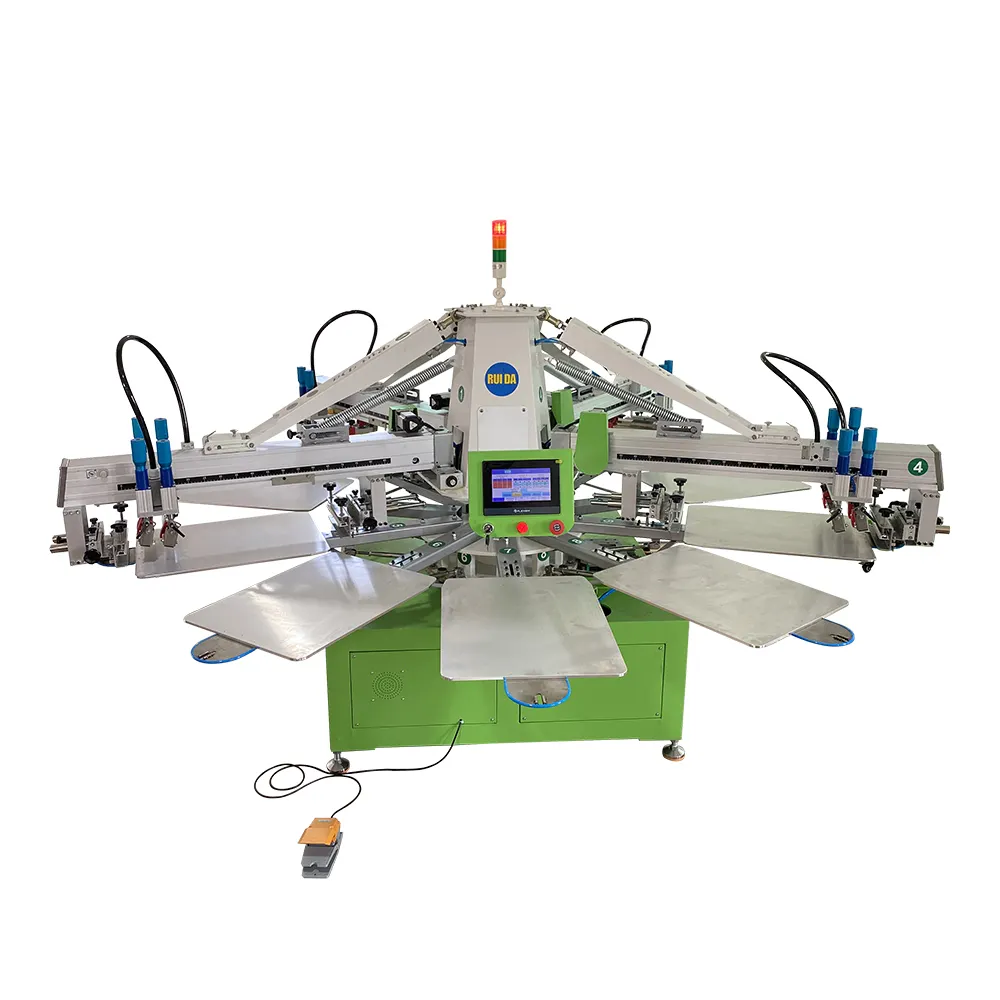
Proper maintenance of your automatic silk screen printer is essential for ensuring consistent print quality, extending equipment lifespan, and maximizing production efficiency. A well-maintained screen printer operates smoothly, reduces downtime, and delivers professional results that meet industry standards. Understanding the comprehensive maintenance requirements for your screen printer will help you avoid costly repairs and maintain optimal performance throughout its operational life.
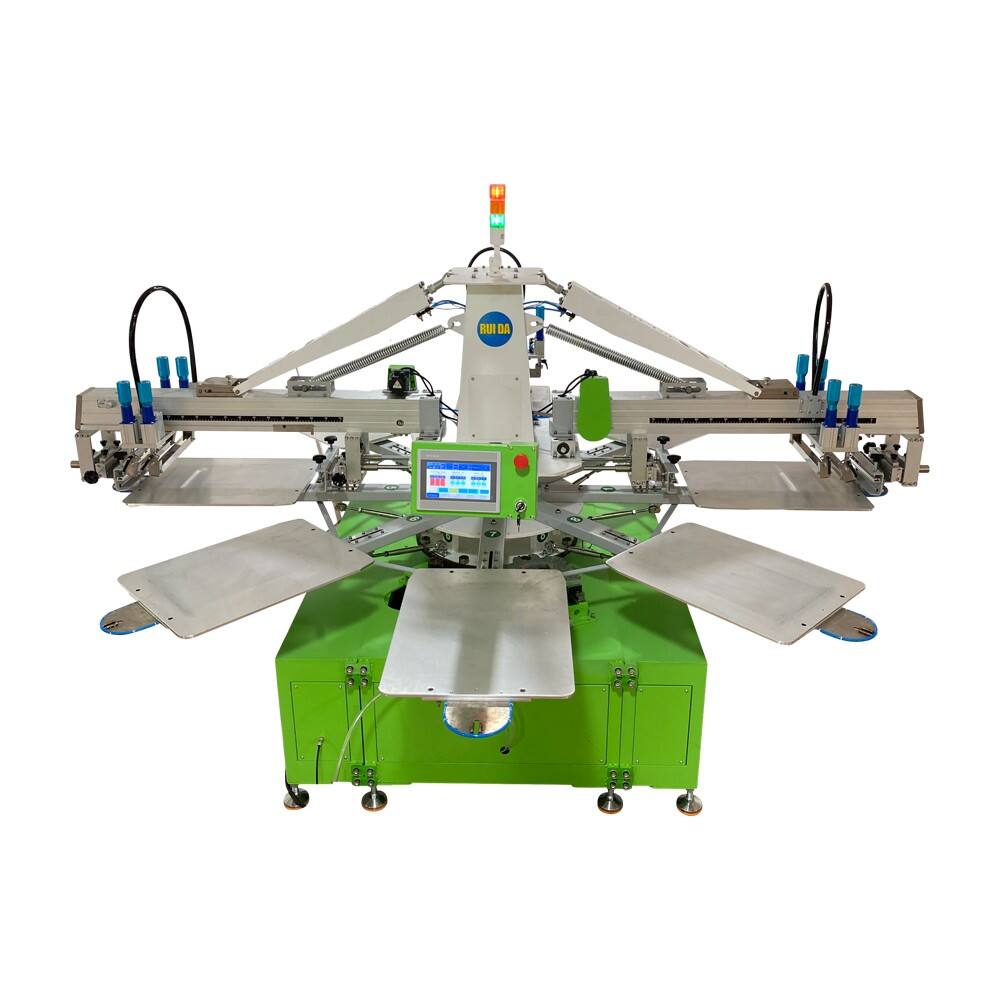
Essential Daily Maintenance Procedures
Pre-Operation Inspection
Before starting your daily production run, conduct a thorough visual inspection of your screen printer to identify any potential issues. Check all moving parts for proper alignment and ensure that squeegees are securely fastened and in good condition. Examine the registration pins and pallet arms for any signs of wear or damage that could affect print accuracy. Verify that all safety guards are properly positioned and that emergency stops are functioning correctly.
Inspect the air pressure gauges to ensure they display the correct operating pressures specified in your screen printer manual. Low air pressure can cause inconsistent squeegee pressure and poor print quality. Check that all pneumatic connections are tight and free from leaks. Listen for unusual sounds during the warm-up cycle, as these may indicate bearing wear or mechanical issues requiring immediate attention.
Screen and Squeegee Care
Clean your screens thoroughly after each production run to prevent ink buildup that can clog mesh openings and affect print quality. Use appropriate screen cleaning chemicals that are compatible with your ink system and screen mesh. Remove all ink residue from both sides of the screen, paying particular attention to fine detail areas where ink tends to accumulate.
Maintain proper squeegee condition by regularly inspecting the blade edges for nicks, cuts, or excessive wear. A damaged squeegee can cause streaking, incomplete coverage, or uneven ink deposit. Replace squeegee blades when they show signs of wear, and ensure replacement blades are properly installed with correct angle and pressure settings. Store unused squeegees in a clean, dry environment to prevent contamination.
Weekly Lubrication and Mechanical Maintenance
Lubrication Points and Schedules
Your screen printer requires regular lubrication at specific points to maintain smooth operation and prevent premature wear. Identify all lubrication points as specified in your equipment manual, including pivot points, slide mechanisms, and bearing assemblies. Use only manufacturer-recommended lubricants, as incorrect lubricants can cause damage or attract contaminants that interfere with operation.
Apply lubricant according to the prescribed schedule, typically weekly for high-use machines or bi-weekly for moderate use. Pay special attention to the carousel rotation mechanism, pallet lift cylinders, and squeegee carriage slides. Over-lubrication can be as problematic as under-lubrication, so apply only the recommended amounts. Keep detailed records of lubrication activities to ensure consistent maintenance scheduling.
Belt and Chain Inspection
Examine all drive belts and chains for proper tension, alignment, and signs of wear such as cracking, stretching, or fraying. Incorrect belt tension can cause slippage, reduced power transmission, and premature wear of drive components. Adjust tension according to manufacturer specifications using appropriate tensioning tools and procedures.
Check chain lubrication levels and apply fresh lubricant as needed to prevent rust and reduce wear. Remove any debris or ink buildup from chain guards and covers to ensure proper ventilation and access for future maintenance. Document belt and chain condition in your maintenance log to track replacement schedules and identify patterns that may indicate alignment or operational issues.
Monthly Deep Cleaning and Calibration
Comprehensive System Cleaning
Perform thorough cleaning of your entire screen printer system monthly to remove accumulated ink, dust, and debris that can interfere with operation. Disconnect power and follow proper lockout procedures before beginning cleaning activities. Remove all screens, squeegees, and flood bars to access internal components safely.
Clean the carousel thoroughly, paying attention to pallet surfaces, registration systems, and underneath areas where debris commonly accumulates. Use appropriate cleaning solvents that won't damage painted surfaces or rubber components. Clean and inspect all air filters, replacing them if they show signs of clogging or damage. Proper filtration is crucial for maintaining consistent air pressure and preventing contamination of pneumatic systems.
Registration and Calibration Procedures
Monthly calibration ensures your screen printer maintains accurate registration and consistent print quality across all stations. Begin by checking pallet levelness using precision measuring tools, adjusting pallet height as needed to ensure uniform substrate contact. Verify that all pallets are properly aligned and that registration pins are positioned correctly for your typical substrates.
Test print registration using a multi-color test pattern to identify any drift or misalignment issues. Make micro-adjustments to screen positions and squeegee angles as needed to achieve precise color registration. Document all calibration settings and adjustments in your maintenance records for future reference. Regular calibration prevents quality issues and reduces setup time for new jobs.
Preventive Maintenance Best Practices
Environmental Considerations
Maintain proper environmental conditions around your screen printer to ensure optimal performance and longevity. Control temperature and humidity levels within manufacturer specifications, as extreme conditions can affect ink flow, screen tension, and mechanical component performance. Provide adequate ventilation to remove solvent vapors and maintain air quality for operators.
Keep the work area clean and organized to prevent contamination of your screen printer and printed substrates. Install proper lighting to facilitate accurate color matching and quality inspection. Protect your equipment from dust, moisture, and chemical exposure that can cause corrosion or mechanical problems. Consider installing equipment covers when the screen printer is not in operation for extended periods.
Operator Training and Documentation
Ensure all operators receive comprehensive training on proper screen printer operation and basic maintenance procedures. Well-trained operators can identify potential problems early and perform routine maintenance tasks correctly. Establish clear procedures for reporting equipment issues and conducting shift changeovers to maintain consistency across all production periods.
Maintain detailed maintenance logs documenting all service activities, parts replacements, and performance observations. This documentation helps identify trends, schedule preventive maintenance, and support warranty claims when necessary. Include operator observations about screen printer performance, unusual sounds, or quality issues in your maintenance records. Regular documentation review can reveal patterns that indicate the need for additional maintenance or operational adjustments.
Troubleshooting Common Issues
Print Quality Problems
Address print quality issues systematically by examining each component that affects ink transfer and substrate contact. Poor print quality often results from screen printer maintenance issues such as worn squeegees, incorrect screen tension, or contaminated screens. Begin troubleshooting by checking squeegee condition and pressure settings, as these have the most immediate impact on print quality.
Examine screen condition for proper mesh tension, emulsion integrity, and cleanliness. Low screen tension can cause poor ink release and blurred images, while excessive tension may lead to premature screen failure. Check ink viscosity and flow characteristics, as improper ink properties can cause poor coverage or bleeding. Verify that substrate positioning is consistent and that pallet adhesion is adequate to prevent movement during printing.
Mechanical Performance Issues
Mechanical problems with your screen printer often manifest as irregular operation, excessive noise, or reduced production speed. Investigate bearing wear by listening for grinding sounds or feeling for excessive play in moving components. Check belt and chain tension regularly, as loose drive components can cause timing issues and reduced power transmission efficiency.
Monitor air pressure consistency throughout the production cycle, as fluctuating pressure indicates potential problems with compressors, regulators, or pneumatic components. Address lubrication issues immediately, as inadequate lubrication causes accelerated wear and can lead to catastrophic component failure. Keep replacement parts inventory for common wear items to minimize downtime when repairs are necessary.
FAQ
How often should I replace squeegee blades on my screen printer?
Squeegee blade replacement frequency depends on usage intensity, ink types, and substrate materials. Generally, replace blades when edge wear becomes visible, typically after 10,000 to 50,000 impressions for standard applications. Monitor blade condition daily and replace immediately if nicks or cuts appear that affect print quality. Keep spare blades available to minimize production interruptions.
What are the most critical maintenance tasks for screen printer longevity?
The most critical maintenance tasks include daily cleaning, weekly lubrication, and monthly calibration procedures. Consistent screen and squeegee cleaning prevents ink buildup that can damage components. Proper lubrication prevents mechanical wear and ensures smooth operation. Regular calibration maintains print quality and prevents costly reprints or customer complaints.
How can I identify early signs of screen printer component wear?
Monitor your screen printer for unusual sounds, vibrations, or changes in print quality that may indicate component wear. Check for excessive play in moving parts, oil leaks from pneumatic components, and wear patterns on belts and chains. Maintain baseline performance measurements for comparison and document any deviations from normal operation patterns.
What environmental factors affect screen printer maintenance requirements?
Temperature, humidity, dust levels, and chemical exposure significantly impact screen printer maintenance needs. High humidity can cause corrosion and affect screen tension, while excessive dust requires more frequent cleaning and filter replacement. Maintain consistent environmental conditions and increase maintenance frequency in challenging environments to ensure reliable operation and extend equipment life.